The upgrade looks straightforward until someone asks about the module behind the application form. It still works. Nobody remembers who installed it. Its last release was several years ago.
That is where a Drupal upgrade starts to become a planning problem.
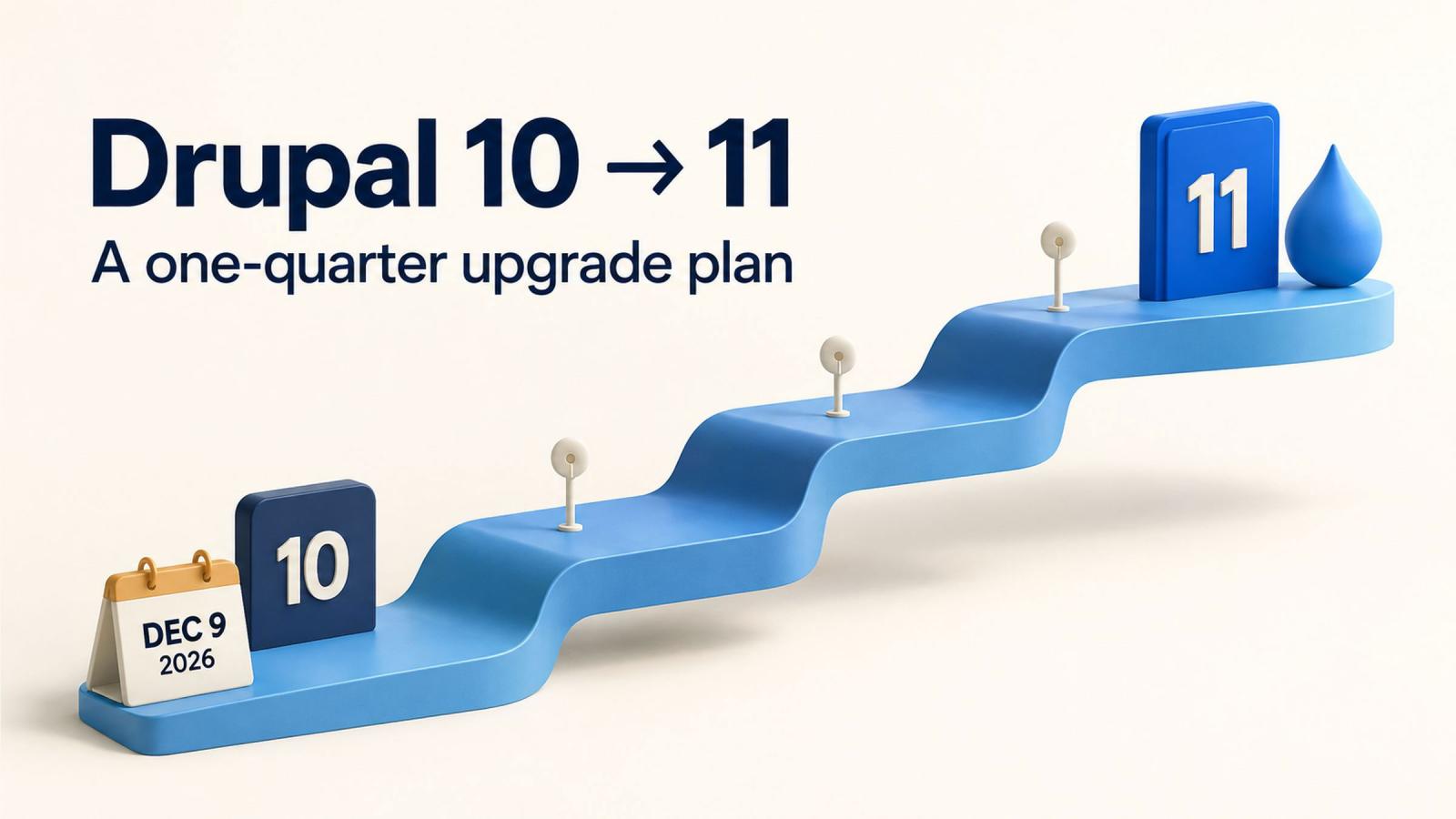
Drupal 10 reaches end of life on December 9, 2026. Drupal 10.6 is the final minor release, and the project will publish no further Drupal 10 releases after that deadline. Drupal’s official release schedule confirms the date.
For developers, the work involves dependencies, custom code and infrastructure. For companies using Drupal, it also involves budgets, release approvals, editorial workflows and keeping services available throughout the change.
A focused upgrade can fit into one quarter. The first two weeks should establish whether that schedule is realistic for your site. From there, the job is to resolve blockers early, protect testing time and deploy with room to recover from surprises.
This guide provides a practical framework for doing exactly that.
Drupal end-of-life dates: what needs attention?
The major version alone does not tell you whether a Drupal site receives security coverage. Minor versions have their own support windows.
| Drupal version | Key date | What your team should do |
|---|---|---|
| 10.5 | Security support ended with Drupal 11.4.0 on July 1, 2026, in the release week beginning June 29 | Move to a supported release immediately. |
| 10.6 | End of life: December 9, 2026 | Keep it patched while completing your Drupal 11 upgrade. |
| 11.3 | Security support ends in the week of December 7, 2026, with Drupal 11.5 | Avoid choosing it as the destination for an autumn upgrade. |
| 11.4 | Released July 1, 2026; security coverage through June 2027, when 11.6 is released | Use the latest supported patch release as the target for this plan. |
| 12.0 | Scheduled for the week of December 7, 2026 | Assess it separately after completing the required move through Drupal 11. |
These dates follow the core release schedule and Drupal 11 release information. Future release windows remain subject to change.
Your site will not automatically stop working at end of life. The concern is the loss of regular project support and security releases for that version.
A website can look perfectly healthy while its maintenance position becomes increasingly difficult.
Should you upgrade to Drupal 11 or wait for Drupal 12?
For an existing Drupal 10 site, plan the move to Drupal 11 now.
Drupal’s supported upgrade process works through consecutive major versions:
Drupal 10 → Drupal 11 → Drupal 12
Major versions cannot be skipped through the standard update process because newer releases remove older database and configuration update routines. Drupal’s documented route to Drupal 12 requires reaching Drupal 11.3 or later first. See the official upgrade process overview.
For an autumn 2026 project, the latest supported Drupal 11.4 patch release is a practical destination. It gives the team an established release to test against and a support window extending beyond December.
Schedule the Drupal 12 assessment as a separate maintenance decision. Its release does not make a supported Drupal 11 installation obsolete.
Keep the project scope equally clear. A redesign, content restructure or new customer portal introduces additional decisions and acceptance work. Give those projects their own requirements and timelines so the upgrade remains manageable.
Step one: run Upgrade Status before estimating the work
A reliable upgrade estimate starts with the site you have today.
Install and run the Upgrade Status module on a development or staging copy of your Drupal 10 site. It checks environment requirements, contributed-project readiness and code compatibility with the next major version.
Run the assessment before upgrading core. Some checks depend on deprecated APIs that are still present in Drupal 10 and are removed in Drupal 11. Follow the Upgrade Status installation and usage instructions, including its dependency requirements.
Turn the results into an actionable register:
| Component | Finding | Decision needed |
|---|---|---|
| Contributed module | Compatible release available | Update it and test the feature it supports |
| Required module | No suitable compatible release | Replace it, fund compatibility work or evaluate a maintained patch |
| Custom module or theme | Removed API usage | Refactor the affected code and verify its behavior |
| Hosting environment | Incompatible platform component | Schedule the infrastructure change |
| Existing patch | Unclear whether it is still needed | Review its purpose and compatibility |
Assign an owner and a due date to each blocker.
The register should also explain the business impact. “Module incompatible” tells a project manager very little. “The event registration form depends on a module without a compatible release” makes the decision understandable.
Use the scan as a starting point. It cannot establish whether your finance integration receives the correct values or whether an editor can complete an approval workflow.
Three common Drupal upgrade blockers
1. Contributed modules without a supported path
A module may lack a Drupal 11 release, depend on another incompatible package, or support Drupal 11 while still having an unresolved issue in the feature you use.
Review more than the compatibility declaration. Check maintenance activity, release notes, security-advisory coverage and patches already applied to your site.
Then make a decision:
- Update when a suitable maintained release exists.
- Replace when another solution meets the same business requirement.
- Remove when the feature is no longer needed.
- Fund maintenance when the dependency is essential and the work is feasible.
For example, an old carousel module on one landing page may be straightforward to replace. A module controlling application eligibility deserves a more detailed investigation.
Before uninstalling anything, check its data and configuration ownership. Removing a module can affect stored content or settings.
2. Custom code using removed APIs
Custom modules and themes may depend on APIs deprecated in Drupal 10 and removed in Drupal 11. Drupal’s upgrade documentation recommends Upgrade Status and Drupal Rector to help identify and address these changes.
Review automated changes and test the affected behavior. Also check dependencies on features removed from core, including Book, Forum, Statistics and Tour. Where required, plan the move to contributed equivalents before upgrading. The Drupal 10 to 11 upgrade guide covers these preparation steps.
Give integrations particular attention. A homepage can load successfully while a scheduled import fails overnight.
Include custom authentication, external APIs, queues, scheduled tasks and any code that changes access permissions in the review.
3. PHP and hosting requirements
Drupal 11 requires PHP 8.3 or later, within the PHP versions supported by your selected Drupal release. PHP 8.4 is supported by both Drupal 10.6 and Drupal 11.4, making it a possible transition target where your dependencies allow it. Check the current PHP compatibility matrix.
Confirm database requirements, PHP extensions, Composer and deployment tooling as part of the same assessment.
Check every environment: developer machines, automated builds, staging and production. A successful local upgrade is less useful if production runs a different PHP version or lacks a required extension.
Bring your hosting provider into the project early. Infrastructure changes may require their own scheduling and approval.
A one-quarter Drupal upgrade plan in four stages
The following twelve-week framework assumes a focused upgrade with an available delivery team. Validate the schedule after the initial assessment.
For a project beginning September 14, target production deployment during November 16–20. That leaves the remaining weeks for monitoring and contingency before end of life.
A large multisite estate, a complex distribution or extensive abandoned custom code may require additional capacity or a different delivery schedule.
Stage 1: assess the site and agree the scope — weeks 1–2
Start with Upgrade Status, an inventory of dependencies and patches, and a hosting review.
If production runs Drupal 10.5 or earlier, prioritize a tested move to the latest Drupal 10.6 release while preparing the major upgrade.
Document the site’s essential journeys. These might include submitting an application, completing a purchase, searching a document library or publishing translated content.
Agree who owns each part of the project:
| Responsibility | Suggested owner |
|---|---|
| Technical assessment and implementation | Technical lead |
| Hosting and deployment readiness | Platform or hosting lead |
| Editorial acceptance | Content lead |
| Business priorities and scope decisions | Product or service owner |
| Final release approval | Named accountable approver |
Make decisions on difficult dependencies before finalizing the estimate. “Waiting for an upstream release” needs a review date and a fallback.
Stage complete when: the scope, blockers, owners, estimate and proposed release date are agreed.
Stage 2: resolve compatibility issues — weeks 3–6
Update contributed projects where suitable releases exist. Refactor custom code, review patches and resolve dependencies on removed core features.
Prepare the target environment and complete the first Drupal 11 upgrade on a copy of the site.
Keep implementation changes easy to review. Record why each patch or dependency adjustment is necessary, and remove obsolete workarounds only after confirming that their original purpose has been addressed.
Use a fresh staging build to prove the upgrade is reproducible. A developer’s working copy should not be the only place where the installation succeeds.
This is also the time to raise scope problems. If an essential module requires substantial replacement work, update the delivery plan while there is still time to act.
Stage complete when: Drupal 11 runs in staging and every compatibility blocker has a tested resolution.
Stage 3: test business workflows and rehearse deployment — weeks 7–9
Test complete journeys, including what happens after the visible interaction.
A form submission is only successful when the data is stored correctly, the expected notification arrives and the receiving system processes it.
Cover the workflows relevant to your site:
- Access: login, single sign-on, roles and restricted content.
- Publishing: editing, previews, moderation, translations and scheduled publication.
- Forms: validation, uploads, confirmations and downstream delivery.
- Commerce: checkout, payment callbacks and order notifications.
- Integrations: APIs, imports, exports, queues and scheduled tasks.
- Presentation: mobile layouts, key templates and interactive components.
- Accessibility: keyboard navigation, focus behavior, labels and error messages.
Ask editors and service owners to participate. They know the routine tasks and exceptions that technical tests can miss.
Then rehearse the production release using a recent production copy. Measure database-update time and confirm the required maintenance window.
Test restoration of matching code, database and files. If your site receives orders, registrations or other transactions, define how new records would be handled if rollback became necessary.
Stage complete when: business acceptance is recorded, release steps are rehearsed and recovery has been tested.
Stage 4: deploy, monitor and hand over — weeks 10–12
Target deployment in week 10.
Before release, confirm backups, the change window, editorial or transaction controls, and who makes the go/no-go decision.
Immediately afterward, check the most important journeys. Follow with monitoring of application errors, failed jobs, form delivery, integration activity and performance.
Keep the delivery team available during the stabilization period. Some problems only appear when a scheduled job runs or a particular editorial workflow is used.
Finish with a maintenance handover covering:
- The deployed versions and outstanding noncritical issues.
- Responsibility for security updates.
- Monitoring and incident contacts.
- The next dependency review.
- The next Drupal minor-version assessment.
Stage complete when: production is stable, business acceptance is confirmed and maintenance responsibilities are assigned.
Protect search visibility during the upgrade
Include SEO checks in the release plan, especially where module or theme changes affect rendered pages.
Capture a baseline before implementation. Record important URLs, redirects, page titles, canonical tags, indexing directives and sitemap behavior.
After the upgrade, check that:
- Important URLs still return the expected pages and status codes.
- Redirects continue to reach the correct destinations.
- Canonical tags reference production URLs.
- Staging restrictions or noindex directives have not reached production.
- XML sitemaps are available and contain the intended URLs.
- Metadata and structured data still appear where required.
- Analytics and consent-dependent tracking work as expected.
Use a crawl comparison to identify unexpected differences, then investigate them in context. A changed page title may be intentional; hundreds of newly inaccessible pages need immediate attention.
Give someone ownership of these checks. They can otherwise fall between development, marketing and content teams.
How should a company budget for a Drupal upgrade?
A useful estimate connects cost to the work discovered during assessment.
Ask for separate allowances for discovery, contributed-module changes, custom development, infrastructure, testing, deployment and stabilization.
Require the proposal to state its assumptions. An estimate that assumes every module already has a compatible release should be revisited if the audit finds an essential abandoned dependency.
Also identify work your organization must supply. Content editors need time for acceptance testing. Hosting teams may need to prepare environments. A service owner must be available to resolve scope questions.
For a multisite estate, assess the shared platform and the differences between sites. Shared code can reduce repeated implementation effort, while distinct configurations and integrations still require verification.
Approve the delivery budget after the assessment has reduced the largest uncertainties. Keep a contingency tied to identified risks.
What does Drupal extended support cover, and what does it cost?
Treat extended support as a specific contractual offer.
The Drupal Association’s published Extended Security Support provider program is for Drupal 7. That program does not establish equivalent coverage for Drupal 10. See the Drupal 7 support-provider information.
Before including extended support in your plan, obtain written confirmation of version-specific coverage and pricing.
| Contract item | What to establish |
|---|---|
| Core security fixes | Covered versions, support duration and patch-delivery process |
| Contributed modules | Included projects and exclusions |
| Custom code | Whether investigation and remediation are included |
| Platform dependencies | Coverage for PHP, databases and third-party libraries |
| Response commitments | Whether the SLA covers acknowledgement, mitigation or a tested fix |
| Deployment responsibility | Who installs patches and verifies the site afterward |
| Commercial terms | Subscription, onboarding, minimum term and additional service charges |
The total cost may include patch access, implementation, testing and support for dependencies outside Drupal itself. Compare proposals using the same scope.
A general maintenance retainer may cover installing available updates without covering the creation of security fixes for unsupported software. Clarify that responsibility before relying on the agreement.
Where suitable coverage is available, connect it to an explicit upgrade date and an approved budget.
Government teams: schedule approvals alongside development
Drupal supports substantial public-sector publishing operations. The U.S. Environmental Protection Agency’s WebCMS is built on Drupal, and Australia’s GovCMS platform uses Drupal to provide content management and hosting for government agencies.
These environments illustrate why upgrade planning extends beyond code.
Public-sector releases can involve procurement, accessibility review, security assessment and service-owner approval. Schedule those activities during the first two weeks and reserve reviewer time while implementation proceeds.
Define acceptance around the services people depend on: a resident can submit an application, an editor can publish an urgent notice, and staff can access the information needed to respond.
For managed platforms, establish the boundary between provider and agency responsibilities. Confirm who upgrades the platform, who checks custom components and who approves the final release.
Explore Drupal for Government for more public-sector examples.
Drupal upgrade questions worth settling early
Does Drupal 10 to 11 require a complete rebuild?
The documented process provides an upgrade path for existing sites. Whether your project needs substantial redevelopment depends on its custom code, dependencies and business requirements. Use the assessment to establish that scope. Drupal’s upgrade guide outlines the supported process.
Can we guarantee completion in twelve weeks?
Confirm the schedule after discovery. Twelve weeks is a planning framework; essential dependencies, infrastructure constraints and reviewer availability determine whether it fits your site.
Should we upgrade every site at once?
For a shared platform, consider a representative pilot. Choose one that exercises meaningful functionality, use it to validate the process, and then schedule the remaining sites according to their differences and service requirements.
What if the project starts late?
Keep the assessment thorough and make scope decisions quickly. Add capacity where work can proceed independently, secure reviewer availability and agree a documented fallback if the deadline is at risk. Preserve the testing and recovery work needed for a controlled release.
Start with a readiness assessment
A useful first deliverable is a short, decision-ready upgrade assessment.
It should contain the Upgrade Status findings, dependency decisions, hosting requirements, test scope, estimated effort and proposed production date. Every significant blocker should have an owner and a next action.
For support assessing and delivering the work, explore Dynamosys’ Drupal development services.
Bring your current Drupal version, module list, hosting details and known problem areas to the discussion. Those details help turn an approaching deadline into a project your team can schedule, fund and deliver.
The earlier you identify the difficult dependency, the more choices you have when deciding how to fix it.